
Save hours of manual formatting—spend your time on talent strategy, not adjusting cell borders
⭐⭐⭐⭐⭐ Rated 5/5 on Google Workspace Marketplace
👥 Join 1,000+ users saving hours every week
🔒 Your data is secure – we never store employee information
✅ No credit card required for trial
“Works perfectly. Simple to use and does exactly what it describes. If you’re looking to make a 9 Block Graphic for a presentation, highly recommend using this Add On. Thank you!” – Garrett Houghton – Creative Technologist

Contents
Three Simple Steps
9 Box Maker generates formatted 9-box talent grids directly from your spreadsheet data.
- 📝 Enter your employee data (name, performance score, potential score)
- 🖱️ Click Create 9 Block to generate the matrix instantly
- 📋 Copy the formatted grid directly into Google Docs or Slides
Features
- Generate from a table. Enter performance and potential scores (1-3 scale) in rows, and the add-on builds the grid automatically.
- Update with one click. Change your data, click Run, and the grid recreates itself. No manual adjustments needed.
- Auto-resize boxes. Grid cells expand to fit your data—no fussing with templates.
- Multi-team mode. Add a “Team” column and generate separate 9-box grids for each team automatically.
- Copy anywhere. Paste the formatted output directly into Google Docs or Slides.
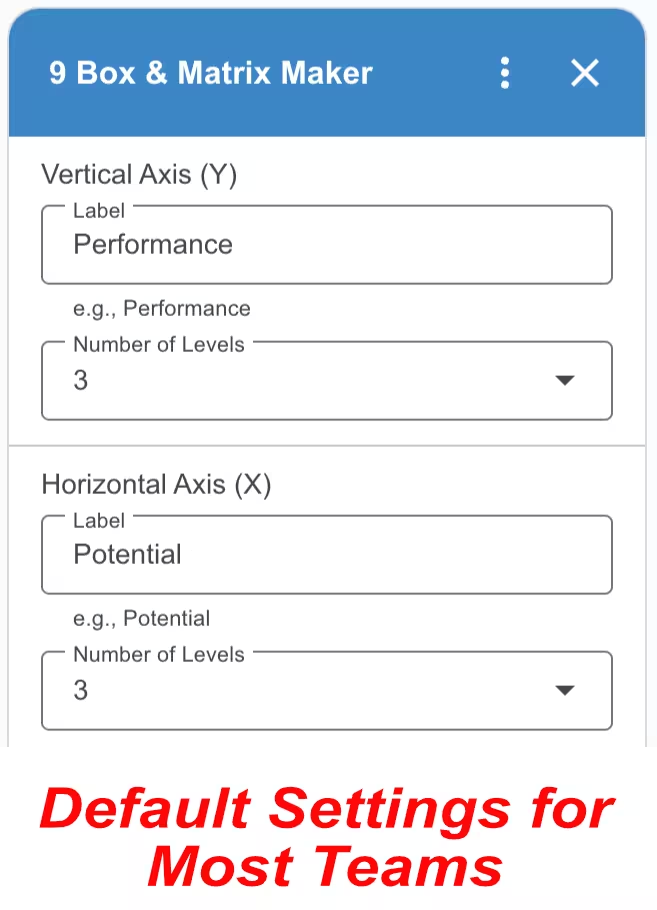
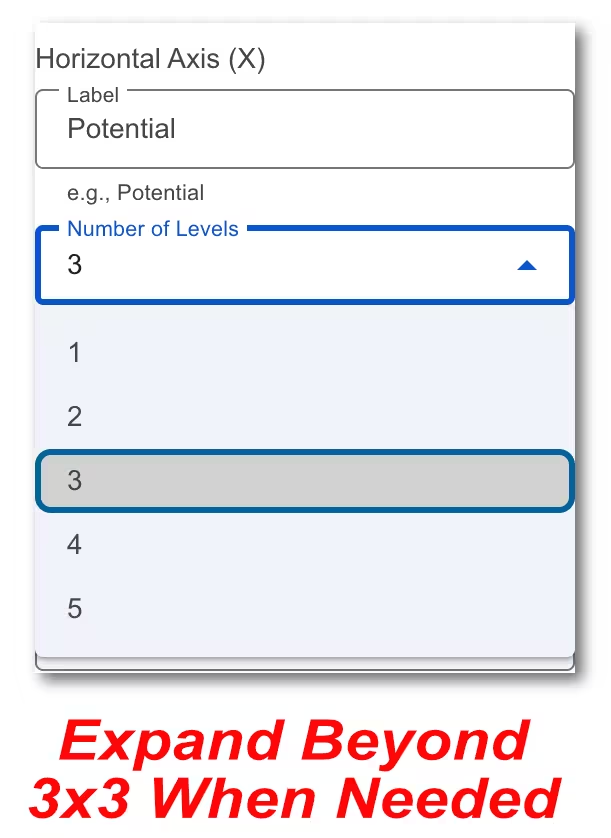
Customize everything (if you need to). The default 3×3 grid works for most teams. But if your organization uses a different scale, you can adjust the grid size (up to 5×5), rename the axes, and set custom level labels like “Needs Development” or “Ready Now.”
🛡️ Privacy & Security Guarantee
Your data stays in Google. We do not host your employee information on our servers. 9 Box Maker acts as a bridge to format your data, ensuring your company remains in full control of its sensitive talent metrics at all times.
Video Tutorials


Pricing
9 Box Maker is free for seven days, then $19 per year. Use your Google account’s email address at checkout.
Multiple User Pricing
We offer the following discounts for multiple users in the same organization. Contact us before you checkout.
| Quantity | Annual Price |
|---|---|
| 2 – 10 | $15 |
| 11 – 50 | $11 |
| 51 – 200 | $6 |
| 201+ | $4 |
FAQ
What is a 9-box grid?
A 9-box grid is a talent management tool that plots employees on two axes: performance (how well they do their current job) and potential (their capacity for growth). It’s commonly used during performance reviews to identify high performers, development candidates, and succession planning opportunities.
How do I update the grid when my data changes?
Just update your source data and click Run again. The add-on regenerates the entire grid with the new information—no need to manually move names between boxes or reformat anything.
How do I use the add-on with my iPad?
Open your Google Sheet in the Safari web browser instead of Chrome or the Sheets mobile app. If you still do not see the full version of Google Sheets, go to Settings, then Safari, and select Request desktop website. Toggle this setting to on.
Is my data secure?
Yes. 9 Box Maker is built with a “Zero-Knowledge” architecture.
- No Data Storage: We do not maintain databases to store your spreadsheet content.
- Local Execution: The logic to generate your grid runs entirely within your own Google Sheets instance.
- GDPR & CCPA Compliant: Because we do not collect, process, or sell employee PII, we meet the strictest data privacy standards by default.
- Encrypted Transit: In the rare case of license verification, only your email address is used, and it is handled via secure, encrypted protocols.
Subscriber Portal | Terms of Service | Privacy Policy | Contact