
Optimization solver for Google Sheets
Real optimization, inside Google Sheets.
Linear, integer, and nonlinear models with the same Set Objective / Variables / Constraints workflow you know from Excel’s Solver.
Install Free from Google Workspace Marketplace
Free tier — no credit card, no trial timer.
Why SolveSheet?
📈 Results that match the textbook
Many free Google Sheets “solvers” silently return wrong answers on integer or nonlinear problems. SolveSheet runs proven, industry-standard optimization engines — Simplex for LP, IPOPT for nonlinear, CBC for integer, Bonmin for MINLP.
🎯 The Solver workflow you know
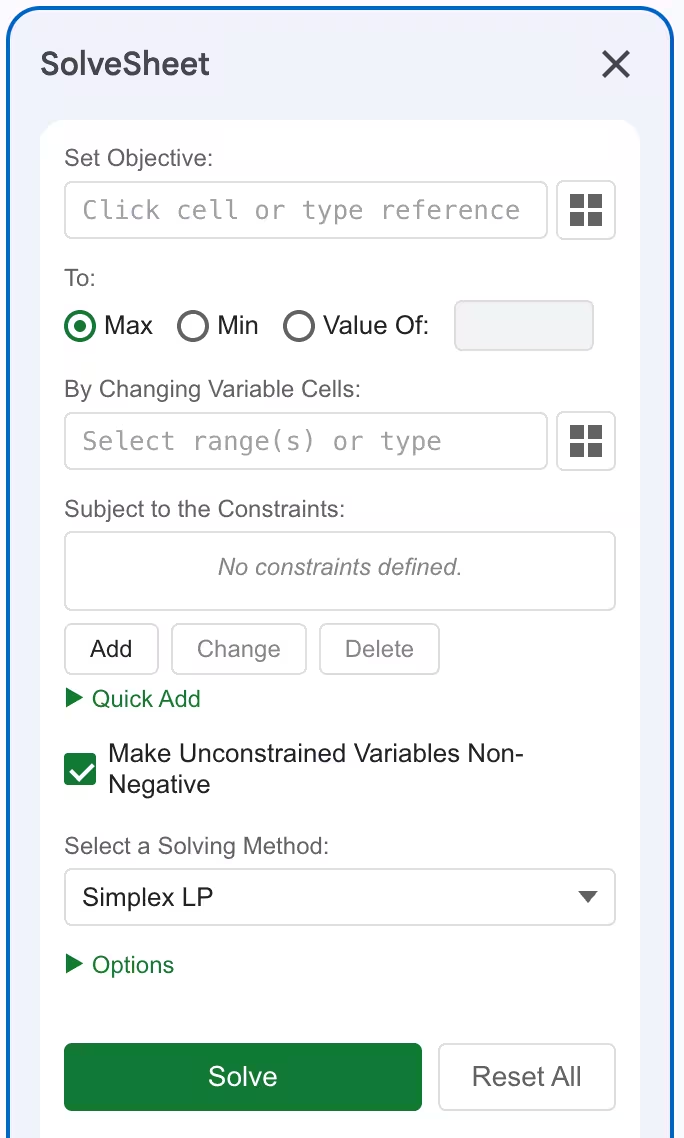
Set Objective. By Changing Variable Cells. Subject to Constraints. Click Solve. If you’ve used Excel Solver, you’re already done. Models built for Excel reproduce in SolveSheet with the same logic.
📊 Reports that explain the answer
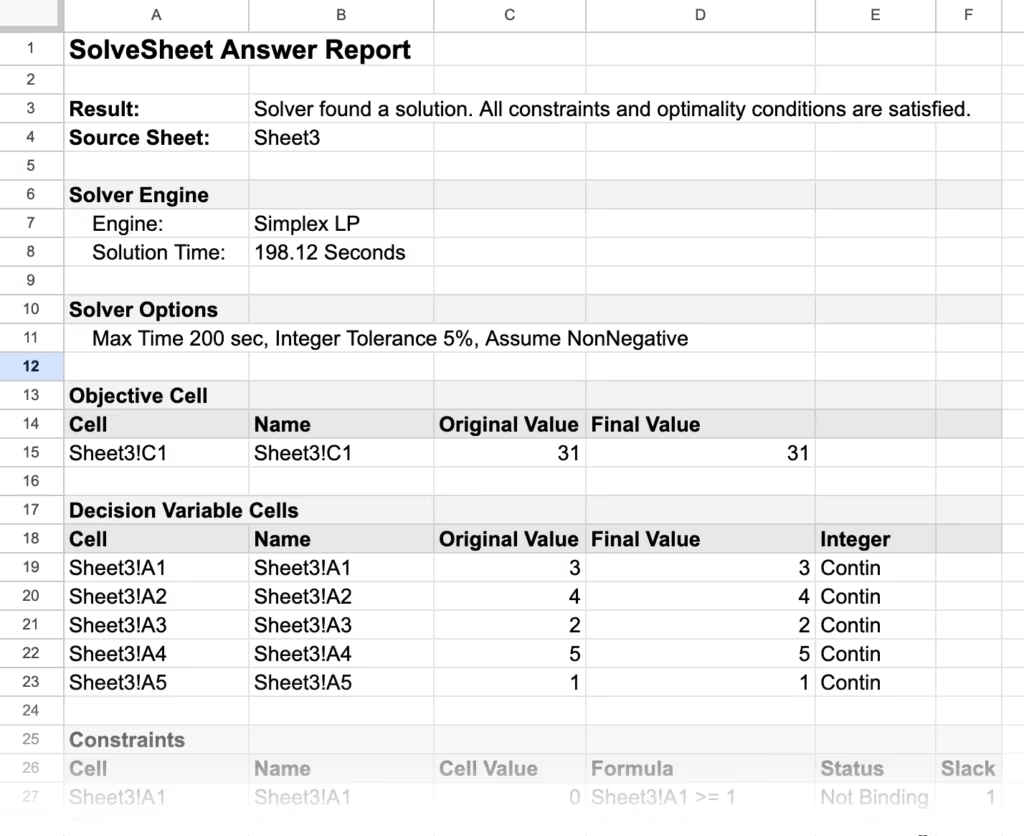
Every solve can produce an Answer Report. Pro adds Sensitivity and Limits Reports — shadow prices, reduced costs, allowable ranges — formatted to match the Excel output your professor or auditor expects.
From spreadsheet to optimal solution in 3 steps
- Set your objective. Pick the cell to maximize, minimize, or drive to a target value.
- Define variables and constraints. Choose decision variable cells and add constraints (≤, ≥, =, integer, binary, AllDifferent).
- Click Solve. SolveSheet finds the optimum and writes the values back to your sheet.
Solving methods built in
- Simplex LP — fast, exact solver for linear problems. Free tier.
- Mixed-Integer Linear (MILP) — linear models with integer or binary decisions. Pro and Business.
- Cloud Nonlinear (NLP) — smooth nonlinear objectives and constraints via cloud-powered IPOPT. Pro and Business.
- Cloud MINLP — nonlinear models with integer variables, via Bonmin. Business only.
- Evolutionary — genetic algorithm for non-smooth, non-convex, or combinatorial problems (TSP, assignment, AllDifferent puzzles). Business only.
How SolveSheet compares to free Sheets solver add-ons
| Free Sheets add-ons | SolveSheet | |
|---|---|---|
| Linear (LP) | Usually OK | ✓ |
| Integer / Binary (MILP) | Often wrong or missing | ✓ Verified |
| Nonlinear (NLP / MINLP) | Not supported | ✓ IPOPT / Bonmin |
| Combinatorial (AllDifferent, TSP) | Not supported | ✓ Evolutionary |
| Sensitivity / Limits Reports | — | ✓ Excel-compatible |
| Matches Excel Solver workflow | Varies | ✓ Same vocabulary, same fields |
Who uses SolveSheet
- Operations Research / Management Science students — Ragsdale’s Spreadsheet Modeling and Decision Analysis, Winston, Hillier, Anderson. Free tier handles most homework problems (≤10 vars, ≤5 constraints).
- Business analysts — product mix, resource allocation, transportation/assignment, workforce scheduling, capital budgeting.
- Finance teams — portfolio optimization, asset allocation, blended-cost minimization.
- Operations teams — production planning, inventory optimization, supply chain, facility location.
- Marketing — media-mix modeling, budget allocation across channels.
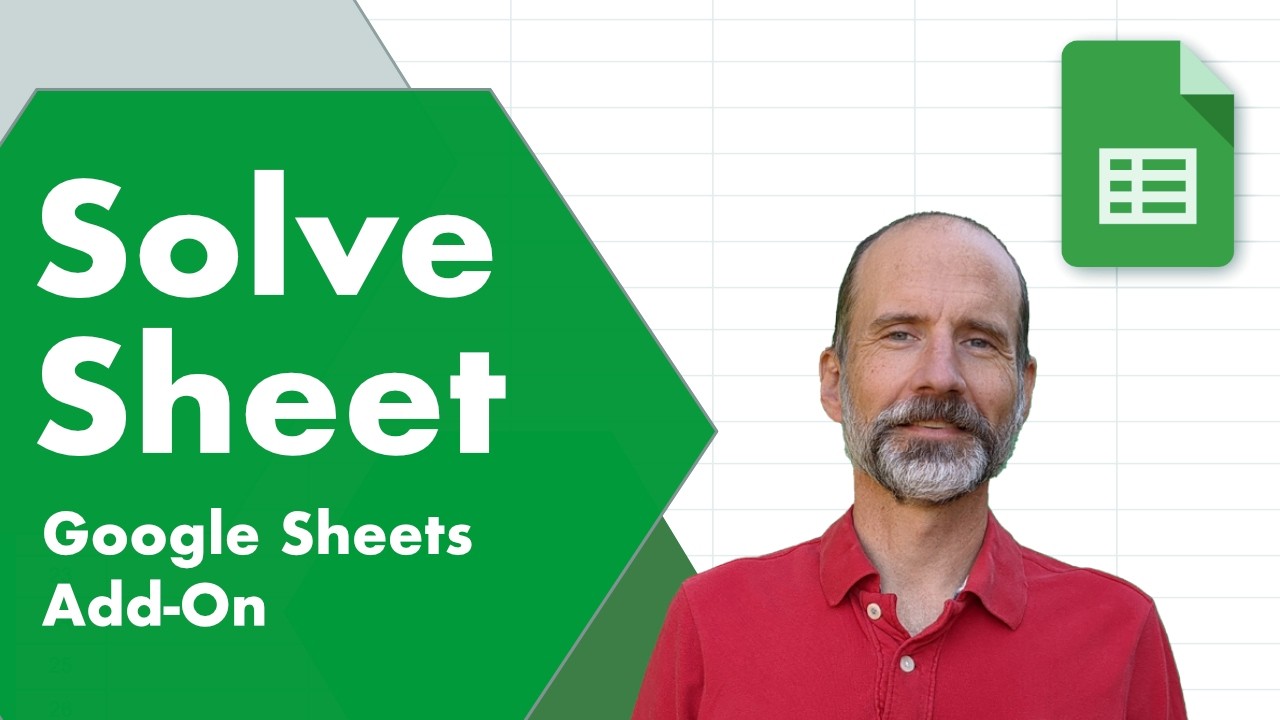
Video Tutorial
Plans & pricing
Free
$0
For students, light use, and trying it out.
- Up to 10 variables, 5 constraints
- Simplex LP solver
- Answer Report
- Community support
Pro
$49/year
or $5.99 / month. Save 32% annually.
- Up to 200 variables, 100 constraints
- LP, MILP, and Cloud Nonlinear (NLP)
- Answer, Sensitivity, and Limits Reports
- Save & Load Models · Parameter Sweep · Feasibility Chart
- 100 cloud solves/month
- Email support
Business
$129/year
or $12.99 / month.
- Unlimited variables and constraints
- Everything in Pro, plus MINLP and Evolutionary solvers
- 400 cloud solves/month, priority queue
- Email support, same-business-day response
Use your Google account email at checkout so your license activates correctly.
Team discounts: volume pricing for 2+ seats — contact us for a quote.
Compare all features
| Free | Pro | Business | |
|---|---|---|---|
| Variables | 10 | 200 | Unlimited |
| Constraints | 5 | 100 | Unlimited |
| Linear (LP) | ✓ | ✓ | ✓ |
| Mixed-Integer Linear (MILP) | — | ✓ | ✓ |
| Cloud Nonlinear (NLP) | — | ✓ | ✓ |
| Cloud MINLP | — | — | ✓ |
| Evolutionary solver | — | — | ✓ |
| Cloud solves / month | — | 100 (300 s/call) | 400 (priority queue) |
| Answer Report | ✓ | ✓ | ✓ |
| Sensitivity Report | — | ✓ | ✓ |
| Limits Report | — | ✓ | ✓ |
| Parameter Sweep | — | ✓ | ✓ |
| Feasibility Chart (2-variable LP) | — | ✓ | ✓ |
| Save & Load Models | — | ✓ | ✓ |
| Support | Community | Email, same-business-day | |
| Deployment | Per-user | Per-user | Per-user or admin-managed Workspace |
FAQ
What kinds of optimization problems can SolveSheet handle?
Linear programming (LP), integer and mixed-integer programming (IP / MILP), smooth nonlinear (NLP), MINLP, and combinatorial problems via the Evolutionary solver. Common applications: product mix, transportation, assignment, blending, scheduling, capital budgeting, portfolio optimization, curve-fitting.
Is SolveSheet a replacement for Excel’s Solver?
For users who work in Google Sheets, yes. Same Set Objective / Variable Cells / Constraints workflow. Same problem classes — LP, MILP, smooth NLP. Models built for Excel’s Solver reproduce in SolveSheet using the same logic.
Will SolveSheet work for my Operations Research / Management Science class?
Yes. If your class uses Excel Solver and you’d rather work in Google Sheets, SolveSheet is designed to give matching results. The free tier handles most introductory homework problems (≤10 variables, ≤5 constraints).
Is there a free version?
Yes — permanent free tier. No credit card, no trial timer, no expiration. Upgrade only when you need more capacity or advanced solvers.
What are the limits on the Free plan?
Up to 10 decision variables and 5 constraints, Simplex LP only, Answer Report. Pro raises caps to 200 / 100 and unlocks MILP, Cloud Nonlinear, all reports, Parameter Sweep, Save & Load, and the feasibility chart. Business removes all variable / constraint caps and adds MINLP and Evolutionary solvers.
Can I cancel or get a refund?
Cancel anytime from the Subscriber Portal; you keep access through the end of your billing period. We offer a full refund within 14 days of your first paid charge — just email us.
Does SolveSheet work on iPad or mobile?
SolveSheet runs in the Google Sheets sidebar, which works best on desktop browsers. On iPad, open your sheet in Safari with “Request desktop website” enabled for the full sidebar experience.
Can I save and reuse my optimization models?
Yes — Save & Load is included on Pro and Business. Save your objective, variables, and constraints with the spreadsheet and rerun any time without re-entering.
Can I visualize the feasible region for 2-variable problems?
Yes. Pro and Business include a native Google Sheets feasible-region chart for 2-variable LPs — useful for teaching, learning, or sanity-checking before scaling up.
Google Sheets is a trademark of Google LLC. SolveSheet is not affiliated with or endorsed by Google.
Subscriber Portal | Terms of Service | Privacy Policy | Contact