
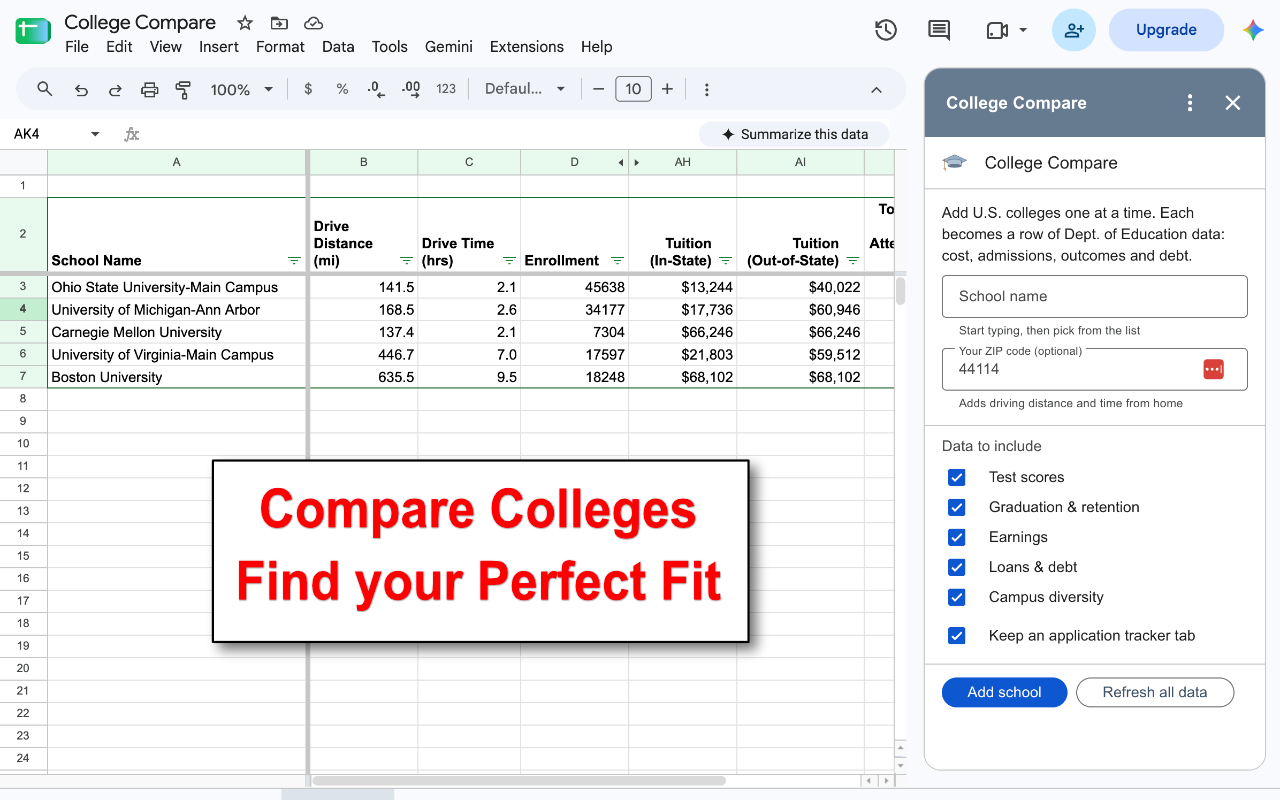
College Compare turns Google Sheets into a college comparison spreadsheet. Type the name of any U.S. college and it adds a row with 30+ numbers from the U.S. Department of Education — tuition, net price, SAT and ACT ranges, graduation rate, earnings after attending, student debt and more — plus the driving distance from your home. Add every school on your list, compare them side by side, and rank them on the dashboard.

What College Compare Pulls In
Every school gets its own row with these columns:
- Cost and debt: in-state and out-of-state tuition, total cost of attendance, average net price after aid, share of students taking federal loans, median debt at graduation, and the typical monthly loan payment
- Admissions: acceptance rate and the middle 50% of ACT, SAT Reading and SAT Math scores
- Outcomes: graduation rate, retention rate, median earnings ten years after entry, and the share of students earning more than a high-school graduate
- The school: enrollment, size and type, public or private, city and setting, student-to-faculty ratio, and website
- Student body: socio-economic diversity and a race and ethnicity breakdown
- Distance: driving miles and time from your ZIP code
How to Use
- Open a Google Sheet — a new, blank one is fine — and start College Compare from the Extensions menu, or click its graduation-cap icon in the side panel on the right.
- Start typing a school’s name and pick it from the list. Add your ZIP code once to get driving distance and time.
- Choose the data you want and click Add school. The school appears as a new row on the compare tab.
- Repeat for every school on your list. The dashboard tab ranks them, and the tracker tab keeps your application checklist.
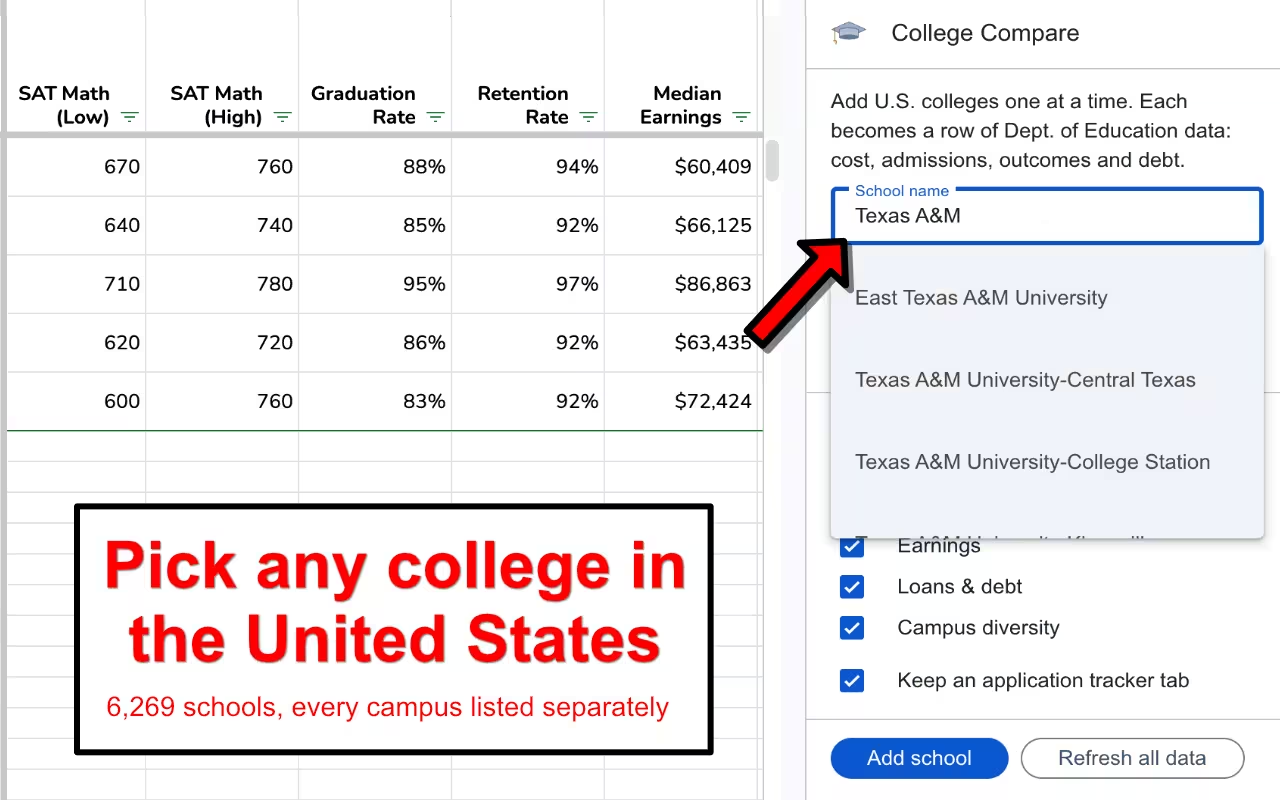
Numbers change every year. Click Refresh all data at any time to re-pull the latest figures for every school on your list.
Rank Your Schools on the Dashboard
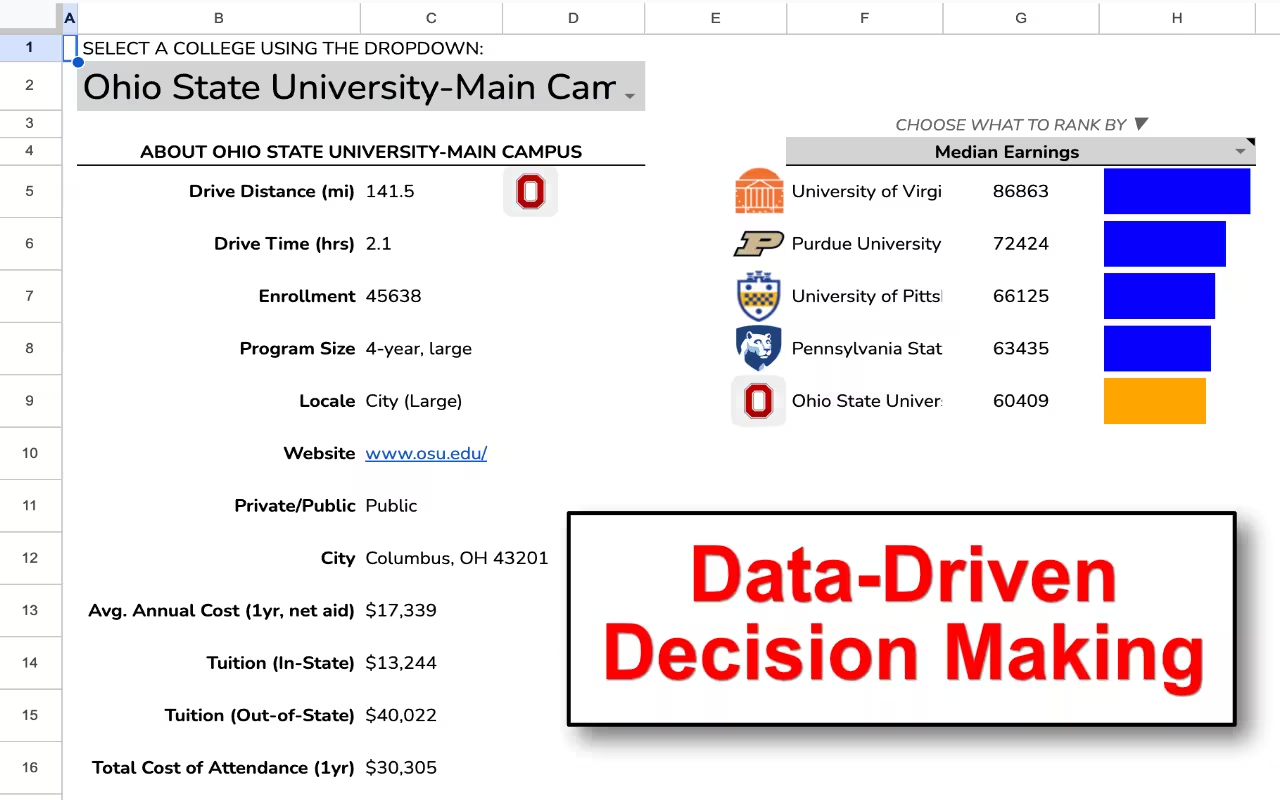
The dashboard tab ranks every school on your list by cost, acceptance rate and size, with a bar for each. Pick any other column — earnings, debt, graduation rate, tuition — from the rank by dropdown to rank by that instead. Choose a school at the top to see its profile and highlight it in every ranking.
Keep Track of Applications
The tracker tab lists every school you add, with checkboxes for applied, accepted, Common App, supplements and campus visit, plus columns for the application deadline, early or regular decision, and a link to your essay.
Who Uses College Compare
- Students and families building a college list without twenty browser tabs open
- School counselors and independent educational consultants comparing schools for each student — some of our users track more than 50 schools in one sheet
- Parents weighing what a degree costs against what graduates earn and owe
Why a Spreadsheet?
Because the comparison stays yours. Sort and filter it, add your own columns and notes, weight what matters to your family, and share it with your student or counselor — none of which a college-search website lets you do. Prefer to build one by hand? Here’s our guide to creating a spreadsheet for a college search.
Pricing
The add-on is free for seven days and three schools, then $15 per year.
Multiple User Pricing
We offer the following discounts for multiple users in the same organization. Contact us before you checkout.
| Quantity | Unit Price |
|---|---|
| 2 – 10 | $9 |
| 11 – 50 | $5 |
| 51 – 200 | $3 |
| 201 + | $2 |
Video Tutorials


FAQ
How do I open College Compare after installing it?
Open any Google Sheet — a new, blank one is fine — and choose College Compare from the Extensions menu, or click the graduation-cap icon in the side panel on the right edge of the window. The sidebar opens with a box for the school’s name.
Where does the data come from, and how current is it?
Every number comes from the U.S. Department of Education’s College Scorecard. College Compare pulls it live when you add a school, so you get the latest release. Click Refresh all data to update every school already on your list.
What’s the difference between tuition, cost of attendance and net price?
Tuition is the published price, with separate in-state and out-of-state figures at public schools. Cost of attendance adds books, housing, food and other expenses for a year. Net price is what students receiving federal aid actually paid on average after grants and scholarships — often far less than the sticker price.
Why does a school show “n/a”?
The Department of Education leaves a figure out when it doesn’t apply or when too few students are counted to publish it. Graduate-only schools have no undergraduate tuition, for example, and small programs often have no earnings data.
How is the graduation rate measured?
It’s the share of first-time, full-time students who finish within 150% of the normal time: six years at a four-year college, three years at a two-year college.
Does it include colleges outside the U.S.?
No. It covers the schools in the College Scorecard, which are U.S. colleges and universities that take part in federal student aid.
Yes. It’s an ordinary Google Sheet, so share it with your student, parent or counselor like any other. Anyone who wants to add more schools needs to install the add-on themselves.
How do I solve the Permission Denied error code?
The error message “We’re sorry, a server error occurred while reading from storage. Error code PERMISSION_DENIED.” occurs when a user is logged into multiple Google accounts. Log out of all other Google accounts, restart your browser, and start the add-on again.
How do I use the add-on with my iPad?
Open your Google Sheet in the Safari web browser instead of Chrome or the Sheets mobile app. If you still do not see the full version of Google Sheets, go to Settings, then Safari, and select Request desktop website. Toggle this setting to on.
Subscriber Portal | Terms of Service | Privacy Policy | Contact